
Organize your statement into clear sections
AI arranges your figures and notes into sections and tables suited to an income statement or another financial report.
Give the financial statement generator your reporting period, figures, and notes. Get an editable draft of an income statement, cash flow statement, or other financial report.
Statement preview
Explore an income statement example with a reporting period, revenue and expense sections, and a net income figure.
Sample figures are used to illustrate the layout.
Create My Statement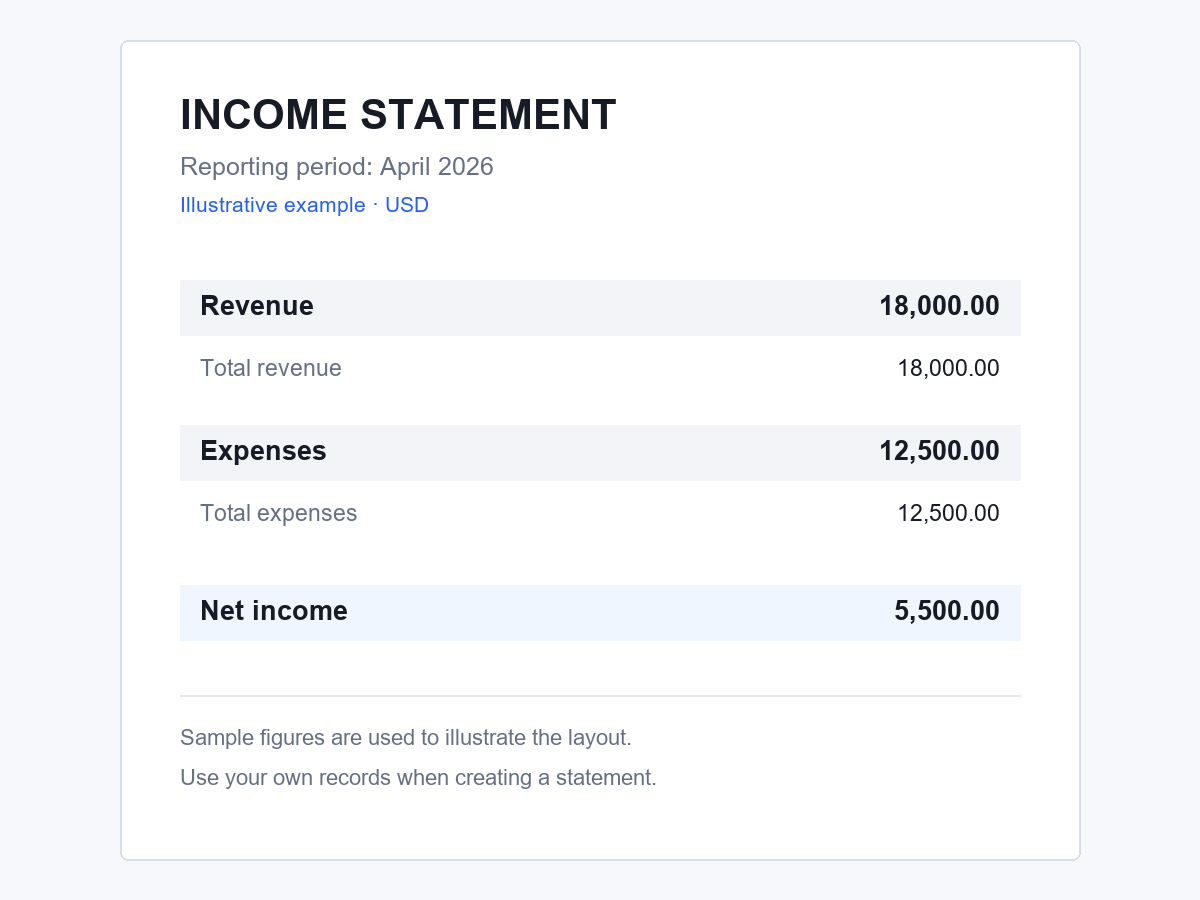
Drafting and editing
Use the financial statement generator to organize your information, make direct corrections, and revise the wording with AI.
AI arranges your figures and notes into sections and tables suited to an income statement or another financial report.
Edit headings, labels, and notes directly in the document, so small corrections do not require another AI revision request.
Ask AI to shorten a note, clarify a paragraph, or adapt the wording for a business partner or internal reader.
Before you start
Gaps in structure, supporting details, or explanations can make a report harder to finish and harder for others to understand.
You know the amounts, but are unsure how to arrange them into a statement that others can follow.
Revenue totals, expense breakdowns, reporting dates, and notes may be kept separately, making it easy to miss a detail when assembling the report.
A higher expense total can leave readers asking whether the increase came from recurring costs or a one-off purchase.
When figures or dates change, explanations copied from an earlier draft can remain out of date.
Three steps
Have your source records ready so you can provide accurate details and check the draft.
Describe the statement type and its purpose, or choose an available template that matches your task.
Include the reporting period, currency, categories, amounts, and notes in your request, then submit it to the AI statement generator. If the tool asks for more information, answer the follow-up questions.
Check the figures and dates against your records, edit the draft as needed, and download it in a supported format.
Different reporting needs
Prepare a statement for a business review, a freelance income summary, personal planning, or a project update.
Turn monthly sales and expense records into a report for reviewing business performance with partners or colleagues.
Create My StatementUse an income statement generator to summarize income from client work and the related business expenses for a specific period.
Create My StatementPrepare a dated overview of your assets and liabilities for reviewing your finances or discussing them with an adviser.
Create My StatementPrepare an internal spending update from your project's budget, actual costs, and explanations of differences, so colleagues can follow its financial progress.
Create My StatementA practical starting point
Work from your own records while AI helps turn the information into a draft you can refine.
A first draft gives you sections and wording to review, so you can focus on the details that need your attention.
Use the same generator to draft an income statement, cash flow statement, or personal financial summary from the information you provide.
Follow-up instructions let you work on the existing draft, so changes to an explanation do not require you to describe the whole report again.
Download the report in an available format to continue editing it or share a finished copy with its intended reader.
You can begin without registering; usage limits and security checks still apply.
Drafting is free, with generation and AI revisions subject to a shared usage limit.
Ideas for your first request
These examples use fictional figures and background details. Replace them with information from your own records and experience.
Draft a simple income statement for April 2026 with revenue of $18,000, total expenses of $12,500, and net income of $5,500. Show revenue, expenses, and net income in separate sections.
Create a first-quarter profit and loss statement for 2026 with revenue of $72,000, expenses of $48,000, and profit of $24,000. Note that the expense total includes a one-time equipment repair of $3,000.
Prepare a personal financial statement as of June 30, 2026, showing assets of $90,000, liabilities of $25,000, and net worth of $65,000. Include the reporting date clearly.
Draft an April 2026 cash flow statement with opening cash of $8,000, operating receipts of $12,000, operating payments of $7,000, and investing payments of $2,500. Show no financing cash flows and a closing balance of $10,500.
Create an internal summary of my business bank account for April 2026: opening balance $5,000, money in $14,000, money out $9,000, and closing balance $10,000. Label it “Internal account summary.”
Summarize my April 2026 bank records using an opening balance of $2,000, total credits of $3,200, total debits of $2,700, and a closing balance of $2,500. Identify it as a personal reference summary.
Create a customer billing statement with a zero opening balance, invoice INV-101 for $800, invoice INV-102 for $1,200, a $500 payment, and a remaining balance of $1,500. List the invoice references and show the balance due.
Prepare a project financial summary with a $25,000 budget, spending of $21,800, and $3,200 remaining. Show contractor fees of $14,000 and other costs of $7,800 as the spending breakdown.
Draft a 450-word personal statement for a business course application. Connect my part-time retail work, experience organizing a school fundraiser, and interest in small business without adding achievements I have not mentioned.
Before your first draft
Find answers about statement types, free use, editing, downloads, and the checks to make before using your document.
Need a policy detail? Read the Privacy Policy or Terms of Use.
You can draft income statements, cash flow statements, and personal financial summaries from the figures and instructions you provide.
An income statement shows revenue, expenses, and profit or loss over a period. A personal financial statement typically summarizes assets, liabilities, and net worth as of a particular date.
Include the statement type, reporting period or statement date, currency, categories, amounts, and any notes needed to explain the figures.
Yes. Statement drafting is free, with AI generation and revisions sharing a usage allowance. Browsing templates and downloading an available file do not use that AI allowance.
No. You can start drafting without creating an account.
Edit text directly for a specific correction, or ask AI to revise the draft. For an AI revision, explain what should change and which details you want to keep.
Your document may offer DOCX, PDF, or both, depending on the document or template used. Check the download menu for its available formats.
Yes. Check amounts, dates, totals, and balances against your records before using the statement. Recheck related totals after changing any amount.
No. The generated summary is based on information you provide and is not issued or certified by a bank. Request an official statement from your bank when needed.
Personal statements and business mission statements are also supported. Tell the AI statement generator the purpose, audience, and main points you want to include.
Use your figures and notes to create a financial statement draft you can edit.