
Organize the payment details
Turn a short payment description into a structured receipt, so both parties can find the transaction details in one place.
Describe who paid, when, how much, and what the payment was for. The free AI receipt generator turns those details into a receipt you can check, edit, and download. No account needed.
A clear record of payment
See how the payer, recipient, payment date, amount, and purpose appear together on a receipt.
Sample receipt: [Business name] received USD 150.00 from [Customer name] on [Payment date] for a completed repair. Payment method: bank transfer.
Create a Receipt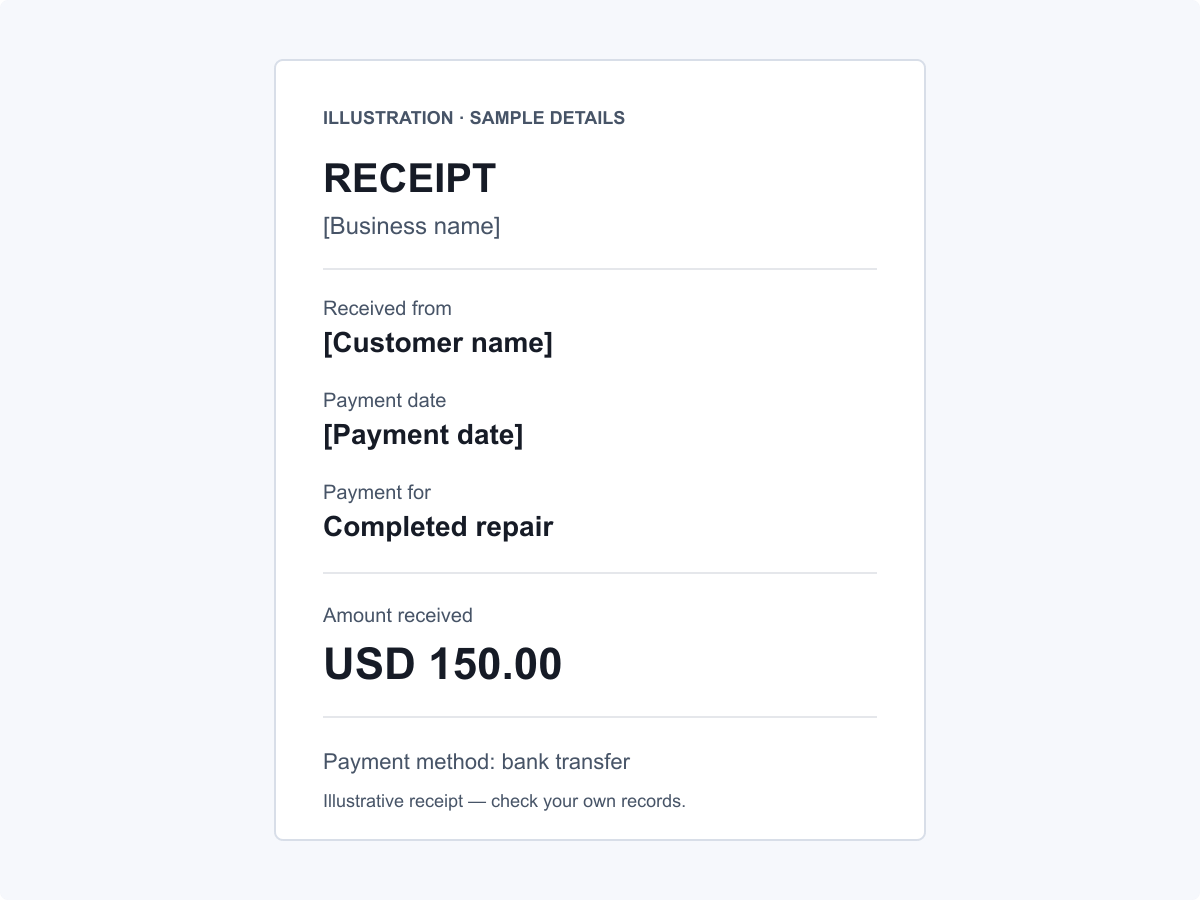
Receipt drafting tools
The AI receipt maker organizes the information you provide into a receipt draft, with wording you can adjust for the payment.
Turn a short payment description into a structured receipt, so both parties can find the transaction details in one place.
The receipt can include the service period, project reference, and payment stage you describe. This makes clear what the amount received covers, whether it is a deposit, partial payment, or final payment.
Change a name or description directly, or ask AI to reword a payment note. Both options work from the receipt you already have.
When a payment needs a written record
Preparing a receipt gets harder when the payment details are scattered or do not explain exactly what was paid for.
The amount is in a bank notification, the service is described in a message, and the customer's name is somewhere else. Putting them together means searching through several records before you can write the receipt.
A receipt that shows only the amount received can leave a deposit or partial payment unexplained. Both parties may be unsure which part of the total it covers or how much is still due.
A receipt that only says 'service fee' may not identify the job or visit the payment relates to. Several similar payments from the same customer can then be difficult to tell apart.
A customer may ask for a receipt to save or print after you have already confirmed the payment in a message. That leaves you with another document to prepare after the transaction.
From payment details to a receipt
Have the payment record you want to document ready before you start.
In the text box, enter the payer and recipient names, payment date, amount, currency, and purpose. If needed, add a payment reference or remaining balance using details you have already checked.
Start generation and answer any follow-up questions if prompted. When the draft is ready, compare it with your payment records, then edit the text directly or ask AI for changes.
Once the receipt is ready and any edits are saved, choose an available PDF or Word (DOCX) format. Download a copy to keep, share, or print.
Everyday payment paperwork
A receipt can document money received for client work, sales, rent, or a personal transaction.
Client payments may arrive at different points in a project or service. A receipt connects each payment to the work it covers, giving both sides a record to refer to.
Generate My ReceiptA customer may ask for a receipt after buying an item from your business. A clear record of the item and payment makes the purchase easier to identify later.
Generate My ReceiptA tenant may need a receipt that links a payment to a particular property and rental period. The payment date and the rental period can be recorded separately.
Generate My ReceiptWhen you sell a used item privately, the buyer may want a receipt for the payment. A receipt identifies the item, buyer, seller, and amount paid for that sale.
Generate My ReceiptA practical way to put it in writing
You can start without registration, check the draft before using it, and see exactly what the free allowance covers.
Begin with a written draft, then focus on whether it reflects the payment you received.
Start a receipt without creating an account, which is useful when you only need a document for an occasional payment.
You see the generated receipt before downloading, so you can decide whether its wording matches your records.
A downloaded receipt can stay with your own records and be shared or printed when needed.
Direct text edits let you fix a spelling mistake or adjust a description without using an AI action. That leaves your AI allowance for generating receipts or asking for broader revisions.
Anonymous users can generate receipts and request AI revisions for free, with a shared limit of 20 requests in a rolling 24-hour period.
Ideas for your receipt request
Use these sample requests as a starting point and replace the bracketed details with your own facts. Include the payer and recipient details, payment date, amount, and currency when you use a sample request.
Create a receipt for the completed logo design project [project name or reference]. Describe the work as [brief description].
Write a receipt for the cash payment for [repair work]. Include the service date [service date] and visit reference [reference].
Prepare a rent receipt for [property address] covering [rental month]. Show the rental period separately from the payment date.
Draft a receipt for the booking deposit for [booked service]. Include the booking reference [reference] and scheduled service date [service date].
Record a partial payment against invoice [invoice reference]. Show the remaining balance I provide: [remaining amount and currency].
Create a receipt for the private sale of [used item]. Include the item details [description or reference] so it can be identified.
Prepare one receipt for [number] tutoring sessions on [session dates]. Use the combined amount I provide for this payment.
Write a receipt for office cleaning at [service address] from [start date] to [end date].
Write a receipt for the final payment on [project or service], referring to deposit [deposit reference]. Mark 'paid in full' only if I confirm nothing remains due.
Before you create a receipt
Find out what to provide, how free use works, and what to check before sharing your receipt.
Need a policy detail? Read the Privacy Policy or Terms of Use.
Yes, you can use the free online receipt generator without creating an account. For anonymous use, generation and AI revisions share a limit of 20 requests in a rolling 24-hour period. Direct editing and downloading an available file do not count toward that AI allowance.
Include the payer and recipient names, payment date, amount, currency, and payment purpose. Add the payment method, a reference, or a checked remaining balance if relevant.
A receipt acknowledges a payment that has been received; an invoice typically requests payment for goods or services. If you are recording a payment against an invoice, include its reference and the amount actually received.
Yes, use figures you have checked against your records and verify them again in the draft, including any tax or remaining balance.
Yes, edit the receipt text directly to correct a name, date, or description. Direct editing does not use an AI request.
Describe the specific change you want, such as clarifying the service description or making a payment note more concise. AI revisions share the same rolling allowance as generation, and any changed facts still need your review.
Available download formats include PDF and Word (DOCX). Choose from the formats shown for your finished receipt.
Yes, include the actual payment method and any reference you want shown on the receipt. The AI receipt maker uses the details you provide; it does not connect to your bank or verify the transfer.
Use the closest example to guide your request, replacing any sample details with your own transaction facts and recipient information.
Compare the names, dates, currency, amounts, payment status, and description with your own records. If the receipt must meet a particular business or local requirement, check that requirement before you use it.
Describe the payment you received to start a draft with the free AI receipt generator.