
Full names, short forms, and initials
The free AI signature generator works with the full name, short form, or initials you want to use, giving the design a personal starting point.
Enter your name in the AI Signature Generator to create a handwritten-style signature. Adjust the style, preview the result, and download your signature as a PNG. No account needed.
20 shared AI generation or revision requests per 24 hours. Style changes and PNG downloads do not use a request.
Your name, in a new style
See your design in the AI Signature Generator, then adjust the style before saving it as a PNG.
Check the spelling of your name, the connections between letters, and the overall balance. Use the free AI signature generator to adjust the style, then review the updated result. When you are happy with the design, download your signature as a PNG.
Generate My Signature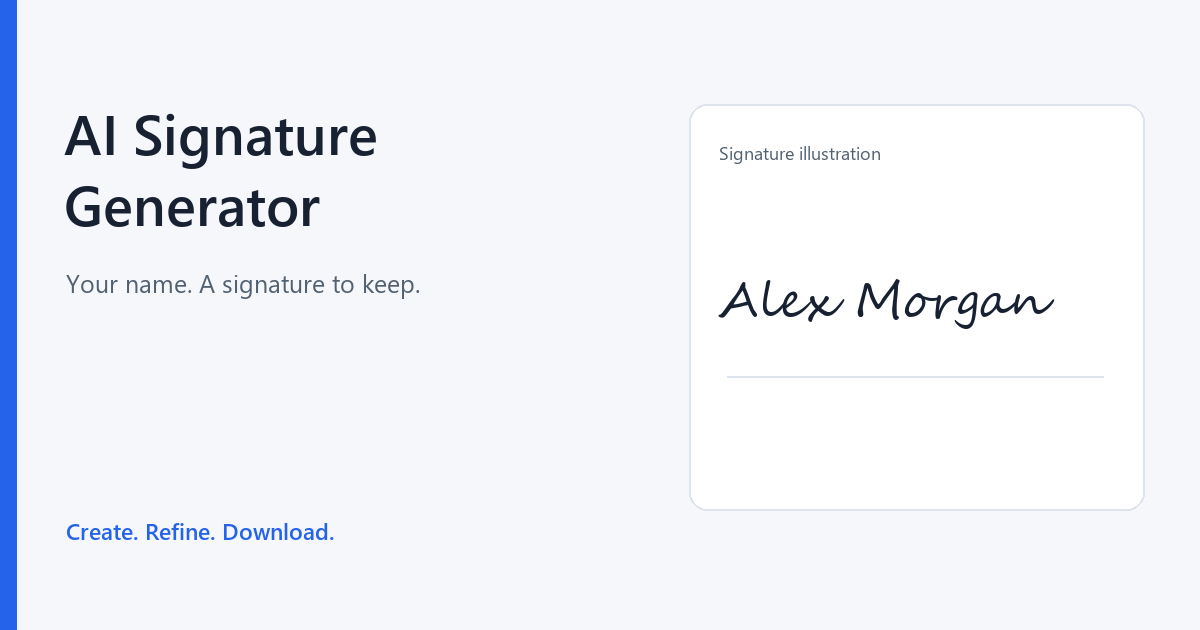
Core features
Use the free signature generator to create a handwritten-style design you can adjust and download as a PNG.
The free AI signature generator works with the full name, short form, or initials you want to use, giving the design a personal starting point.
The AI Signature Generator supports direct style adjustments without using an AI request. Keep control over the appearance while reserving your allowance for generation and AI revisions.
A PNG from the free signature generator gives you a signature image to keep and reuse in documents, portfolios, or other layouts that accept PNG files.
Common signature challenges
You need a signature image, but drawing one, finding a suitable style, or recreating it for each document can take extra work. The free AI signature generator gives you a starting design that you can refine and download as a PNG.
A mouse or trackpad can make it difficult to create the strokes you want. With the free signature generator, enter your name to create a new design instead of drawing it stroke by stroke.
A long name can become hard to read when the letters run together. In the AI Signature Generator, use the name or initials you want to sign and check how clearly the design reads.
A decorative signature may feel out of place on a work letter, while a plain one may not suit a creative project. Use the free AI signature generator to adjust the overall style, then review it with that use in mind.
Making a new signature image for every document adds work and can leave you with inconsistent versions. Create a design with the free signature generator and keep the downloaded PNG to reuse in places that accept that format.
How to get started
Enter your name in the AI Signature Generator, generate a design, then adjust the style and preview the result before downloading the PNG.
Type the name you want to use into the free AI signature generator. Use your full name or preferred short form, then check the spelling.
Select Generate My Signature to create a handwritten-style design in the AI Signature Generator. Adjust the style, then review the updated result.
Preview the signature in the free signature generator and check that the name and overall design look right. Download your signature as a PNG when you are happy with the result.
Who it is for
Use the free AI signature generator when you need a signature image for a personal letter, a portfolio, or a project.
A plain typed name may not give a personal project cover the look you want. Create a design with the AI Signature Generator, then add the downloaded PNG to your cover page in your own editor.
Generate My SignatureFor a client letter or thank-you note, you may want a handwritten-style name at the end. Create the signature in the free signature generator, then add the downloaded PNG to the letter in your document editor.
Generate My SignatureYou may want your name to fit the visual style of your portfolio. Adjust a design in the free AI signature generator and download a PNG to add to your portfolio layout.
Generate My SignatureIf you now use a different name or prefer another style, an older signature image may no longer fit. Use the AI Signature Generator to create a new design, then replace the old image with the downloaded PNG in your own documents.
Generate My SignatureWhy start here
The free signature generator requires no account, and direct style adjustments do not use AI requests.
The free AI signature generator creates a handwritten-style design from the name you enter. You can judge how your chosen name looks as a complete signature.
The AI Signature Generator lets you adjust the style after generation. You can continue working on the result before deciding it is ready to download.
Direct style adjustments in the free signature generator do not use an AI request. You can keep working on the appearance while reserving your allowance for generation and AI revisions.
Preview the design in the free AI signature generator before downloading the PNG. Check whether the name reads clearly and the lettering feels balanced while you can still make adjustments.
You can start using the AI Signature Generator without creating an account. Generation and AI revisions share a limit of 20 requests per 24-hour period.
Download your design from the AI Signature Generator as a PNG. Keep the file for future use in documents or layouts that accept PNG images.
Signature ideas
Use the free signature generator to explore different ways of writing your name. When reviewing a design in the AI Signature Generator, consider the name format, the lettering, and the finishing details.
Look for a design in the free AI signature generator that keeps both your first name and surname recognisable. Check that the letters remain clear when you view the signature as a whole.
Try a form such as A. Morgan in the free signature generator. Check that the initial and surname feel like one signature rather than two separate pieces of text.
Enter a short form such as AM in the AI Signature Generator if you prefer to use initials. Check that the letters remain distinct enough to read on their own.
When reviewing a result from the free AI signature generator, notice how much attention the surname receives. A more prominent surname can give the whole signature a clear focal point.
Look for a compact design in the free signature generator if you prefer a signature with less horizontal spread. Check that the spacing still lets you distinguish one letter from the next.
In the AI Signature Generator, look at how one letter leads into the next. Smooth joins can give the name a flowing appearance while keeping individual letters recognisable.
Look for simpler letter shapes in the free AI signature generator if you prefer less decoration. Judge the overall form of the name, with fewer loops and flourishes competing for attention.
A design from the free signature generator may draw attention to the opening capital of your name. Check that the first letter adds character without overpowering the remaining lettering.
When reviewing a design from the free AI signature generator, look at the final stroke and any underline. A short finish can leave the final letter clear and keep attention on the name.
Frequently asked questions
Find answers about the AI Signature Generator, including names, style adjustments, PNG downloads, and free limits.
Need a policy detail? Read the Privacy Policy or Terms of Use.
Yes, you can start with the free AI signature generator without creating an account. Generation and AI revisions share a limit of 20 requests per 24-hour period. Direct style adjustments do not count toward this limit.
Enter your name and select Generate My Signature. The AI Signature Generator creates a design you can preview, adjust, and download as a PNG.
Use the name format you want to appear in the signature. The free AI signature generator can start from a full name, a shortened name, or initials. If the full name looks crowded, try a shorter form.
No, you start by typing your name into the free signature generator. You do not need an existing signature image to explore a handwritten-style design.
Yes, you can adjust the style after generation and preview the updated result.
Look at readability, letter connections, and the overall balance of the name. Review the design in the free signature generator before deciding it is ready to download.
Yes, you can download your finished design from the AI Signature Generator as a PNG.
No. The free AI signature generator creates a handwritten-style image of your name. It does not create a full email signature block with a job title, contact details, and links.
Use the PNG in documents or layouts that accept that format. The free signature generator creates the image; you add it in your own document or design editor.
No. The free signature generator creates a signature image and provides a PNG download. Adding the image to a document and completing a signing process are separate steps.
Enter your name in the free AI signature generator to create a handwritten-style signature. No account needed.